
The reminder went off. How do you check later whether you took it?
An alarm draws your attention to the time. When you mark a medication as taken, you also leave a note to check later. When choosing an app, look for both features and consider how they fit your routine.
EntreConsultas, our app currently in development, lets you set reminders, note when you took each dose and keep questions for your appointment. Its first release is planned for iPhone. See how it works in the app.
What to look for in a medication reminder app
- A schedule you can check. You should be able to copy the instructions from your prescription and review what you entered.
- A clear way to mark a dose as taken. Opening or dismissing a notification is not the same as taking your medication.
- The option to add a dose later. If you took it at 8 a.m. but opened the app at 9 a.m., you need to be able to enter the correct time.
- A history that is easy to find. Your times and notes should remain available when you have a question or an appointment coming up.
How to keep track of medication in EntreConsultas
- Add the medication and check your prescription. Enter the form, amount and times you were instructed to use. You can add a product manually if it is not listed. The built-in catalog currently covers Brazilian products.
- Turn on reminders. In Settings, open Reminders, turn on “Medication schedule” and allow notifications on your iPhone. Reminders are optional; you can note medication times without enabling them.
- Note what happened. On Today, choose “Taken now” if you just took the medication. If you took it earlier, use “Record dose” and check the time. If you are unsure, keep it as a question instead of confirming a dose by guessing.
- Look back at your day. Day map brings together medication times and focus and energy notes. Keep the questions you want to ask your health professional in Appointment.
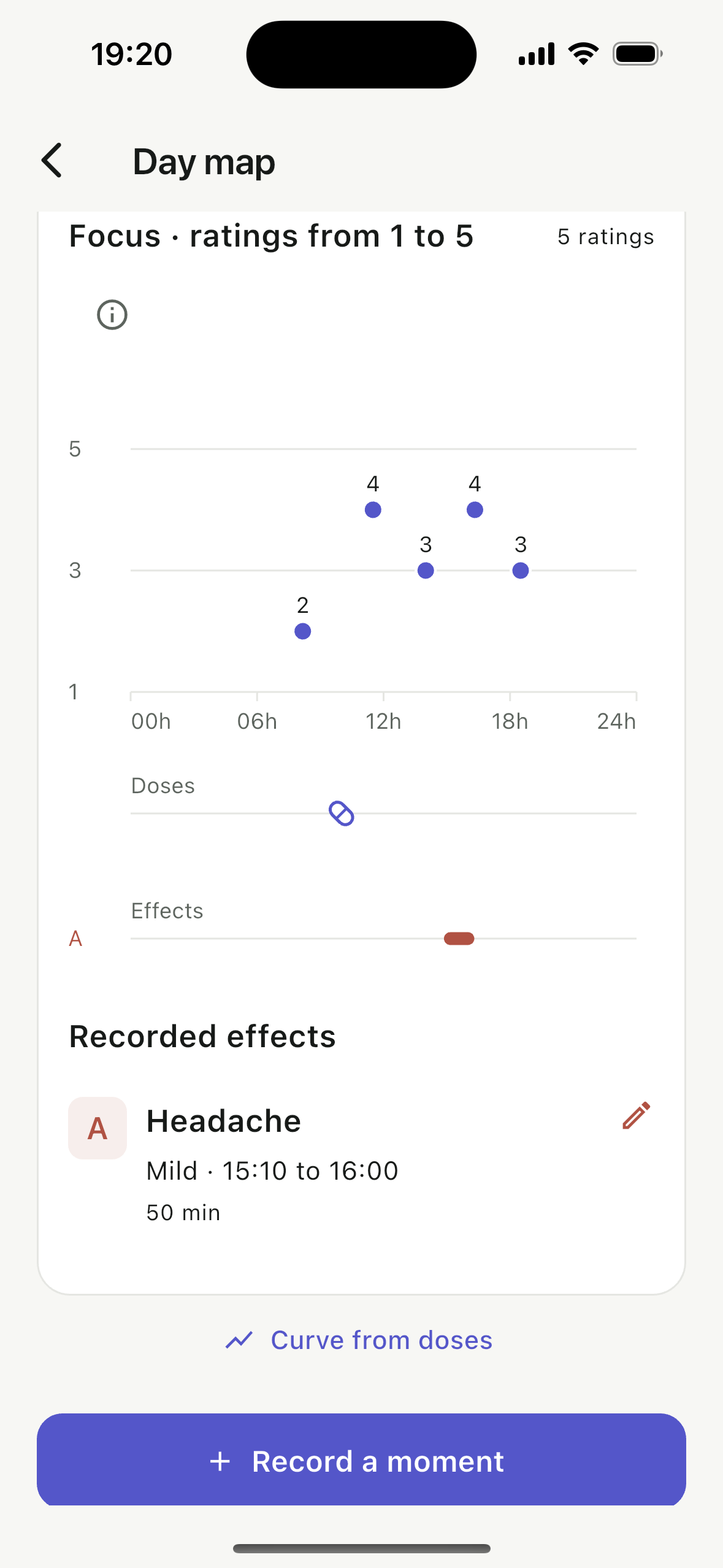
Notifications depend on your iPhone permissions and settings. Open the app regularly to refresh upcoming reminders and check their status in Settings. The app cannot guarantee that you will see every reminder.
From your daily notes to your next appointment
You can review your history on your phone and choose your questions. With Premium, you can also bring the information you select together in a PDF to share.
For example, you noticed difficulty concentrating on three afternoons this week. Note what happened, check the dates and bring your question. Seeing the times side by side does not, on its own, explain what caused the experience.
Your health data stays on your device, with no account required. You choose what to export and share.
Medication reminder checklist
Use this when checking your app settings.
- ☐ I checked the medication name and form.
- ☐ I copied the amount and times from my prescription.
- ☐ I allowed notifications and checked my phone settings.
- ☐ I know where to mark a dose as taken and how to correct the time.
- ☐ I know where to find previous days.
Prefer to start on paper?
Use our template for medication names and times. You can print or copy it now. When the app becomes available, you can choose whether to continue on paper or keep your history on your phone.
Brazil’s Anvisa campaign on medication errors highlights the importance of communication. Writing down a question is a starting point for a conversation. If you are unsure whether you took a medication or have questions about the schedule, ask your health professional; the app does not tell you how to make up for a missed dose.